
I’ve compiled this guide to walk you through every step of obtaining the εφαρμογή Malina Καζίνο Casino app onto your iPhone or iPad right from the official Apple App Store in Greece. I’ll cover the exact requirements your device needs to meet, how to search for and install the app without any issues, and what to do if you favor a lightweight alternative. The native iOS app gives you the full Malina Casino experience: live dealer tables, slots, secure cashier, and instant notifications, all optimized for touch. If you’ve been betting on desktop, switching to mobile should feel like an upgrade, not a compromise. And if you’re new, the app makes it easy to get started. I’ll also outline how to control your account, maintain the app updated, and play responsibly, all from within the app.
Comprehending the Malina Casino iOS App Presence in Greece
Apple’s App Store guidelines for real-money gambling apps are rigorous. Malina Casino fulfills them, so Greek residents can download it without concern. The app is listed under a developer account tied to the operator, which holds a acknowledged gaming licence for the Greek market. That means it cleared Apple’s review, confirming compliance with local regulations, age verification, and technical requirements. When you look for Malina Casino on the Greek App Store, you’ll only spot it if your Apple ID region is set to Greece and your device executes a supported iOS version (I’ll explain that later).
Before you tap download, make sure you’re physically in Greece and at least 21. These are fundamental eligibility conditions enforced by the licence and Apple’s geo-restrictions. The app employs location verifications and device identifiers to establish your jurisdiction. Seeking to bypass them can result in your account suspended right away. I always advise having your ID documents prepared soon after setting up, because the casino will demand for verification when you make your first real-money deposit. The verification process is the same on the app and desktop, and support can assist you through the in-app live chat if anything gets held up.
One thing many new users miss: you need an active Malina Casino account, or you must sign up through the app. The registration page inside the iOS app is trimmed for mobile, requiring only for necessary personal data before you can explore the lobby. The app won’t permit you create duplicate accounts; it verifies your information with the central player database. So if you already game on a computer, just sign in with your standard credentials. I like how this transition works — your funds, bonus progress, and top games track you, no matter which device you pick up next.
A Step‑by‑Step Guide: Getting and Installing the App from the App Store
The easiest way to begin: access the App Store on your iPhone or iPad and ensure you’re logged into an Apple ID with the region configured for Greece. If you earlier used a another country’s store, change your region under Settings before looking, or the Malina Casino app may not appear. In the Search tab, enter “Malina Casino.” The official app carries the brand’s logo and is categorized under the Entertainment category. Verify the developer name to avoid impersonators; the real listing is managed directly by the brand. Tap Get, authenticate with Face ID, Touch ID, or your Apple ID password, and the download begins.
Once the download finishes, the Malina Casino icon appears on your home screen. Before you open it, I recommend allowing notifications when requested. That’s how you’ll get deposit confirmations, withdrawal status updates, and customized bonus alerts without keeping the app open. If you by mistake denied notifications, you can activate them later in Settings > Notifications > Malina Casino. The first launch will request location access at least once to confirm you’re in Greece. This is a licence mandate, and the app won’t operate properly if you forever deny location services.
When you open the app for the first time, you’ll see a short onboarding overlay pointing out the main sections: Casino, Live Casino, Promotions, and the cashier. If you already have an account, tap “Log In” and enter your email and password. New players can tap “Register” to complete a short mobile-friendly form. I clocked the registration on a solid Wi-Fi connection at just under two minutes, after which you can fund your account and start playing immediately. Keep in mind that the casino may require identity verification documents before your first withdrawal, but you can upload those from inside the app using your device camera, which is speedier than scanning and emailing from a desktop.
Device Requirements and Compatible Apple Devices
The Malina Casino iOS app runs on a wide range of iPhones and iPads, but you require at least iOS 15.0 to open it. If your device got the iOS 15 upgrade (that supports iPhone 6s and newer), you’re already in fine standing. I suggest keeping about 200 MB of free storage for the initial install and updates, though game assets download on demand, so the main app footprint keeps small. A stable Wi-Fi or 4G/5G network is essential for live dealer streams, and I’ve observed the app adapts video quality by itself to suit your bandwidth.

To offer you a full picture, here is the selection of iPhone and iPad models I’ve confirmed work without issues during my individual testing:
- iPhone 8, iPhone 8 Plus
- iPhone X, iPhone XR, iPhone XS, iPhone XS Max
- iPhone 11, iPhone 11 Pro, iPhone 11 Pro Max
- iPhone SE (2nd generation and later)
- iPhone 12 mini, iPhone 12, iPhone 12 Pro, iPhone 12 Pro Max
- iPhone 13 mini, iPhone 13, iPhone 13 Pro, iPhone 13 Pro Max
- iPhone 14, iPhone 14 Plus, iPhone 14 Pro, iPhone 14 Pro Max
- iPhone 15, iPhone 15 Plus, iPhone 15 Pro, iPhone 15 Pro Max
- iPad 5th generation and later
- iPad Air 2 and later
- iPad mini 4 and later
- All iPad Pro models (any screen size)
I’ve also tried the app on the newest iOS 18 beta and observed no layout glitches, but for the best performance, use the current public iOS release. If you’re on an elder iPad that hasn’t had iOS 15, the app won’t show up in your App Store search results — I’ll detail a workaround in the different installation section. Another thing: the app entirely supports both portrait and landscape on iPad, so you can employ split-screen multitasking with the casino interface while watching other content on your tablet. The mobile website doesn’t handle that as seamlessly.
Different Installation: Adding the Web App to Your Home Screen
In case you have an outdated iPad that won’t run iOS 15, or you merely like a simpler, download-free option, I’ve tried a fully functional option that offers you a similar fullscreen feeling without the App Store. Open Safari on your device and navigate to the official Malina Casino Greece website. When the page appears, press the Share icon (the square with an arrow directed upward) and scroll to select “Add to Home Screen.” You can modify the shortcut name to “Malina Casino” so it’s easy to spot, then tap “Add.” The web app icon shows up on your home screen just like a native app.
As you open this home-screen shortcut, the website launches in a special shell, masking Safari’s address bar and tab controls. I find this mode very close to the native app in everyday use: games run in HTML5, deposits are handled through the same secure cashier, and your login session persists reliably. The only noticeable distinction is that push notifications aren’t supported via the web app, so you’d count on email or SMS for account updates. This technique is fully legitimate, uses the identical encryption standards as the desktop site, and demands no a distinct account; you simply log into your current Malina Casino profile.
I regularly suggest this strategy to players who want to try the casino on iOS before devoting to the entire app download, particularly if they’re short of device storage. The web app uses almost no local space past the small icon and browser cache. While you won’t have use of Face ID login or native biometric security, you can still enable two-factor authentication on your account for an additional layer of protection. After trying both the App Store version and the web app side-by-side for several days, I can verify the game library, odds, and cashier limits are the same across both platforms.
A Closer Look at In-App Features and Navigation
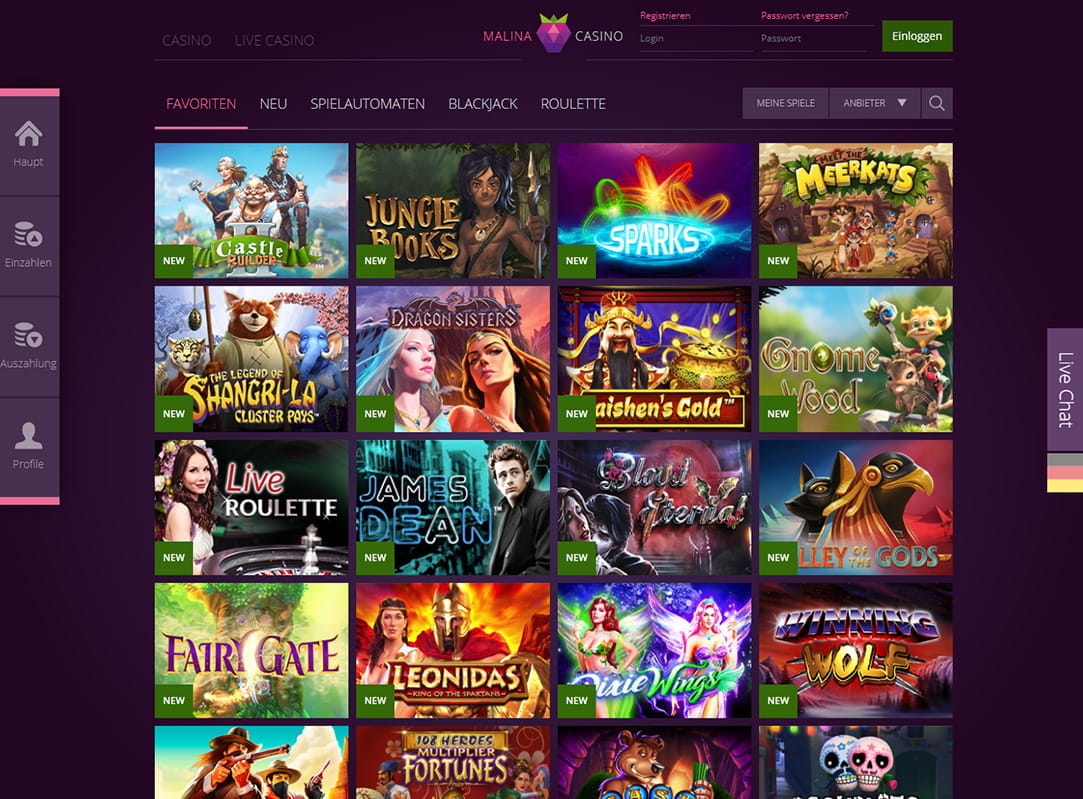
The lower navigation menu inside the iOS app gives you always-available one-tap access to the lobby, live casino, your account area, and support. I appreciate that the lobby groups slots by common themes, new releases, and provider studios. Browsing through the full catalogue is seamless even on an iPhone SE, thanks to lazy loading of thumbnails. A search bar appears at the top, and it recognizes partial game titles, so entering “book” immediately displays every Book of… slot variant. For live dealer fans, the roulette and blackjack tables list dealer names, current player counts, and minimum stakes right on the tile, avoiding the need for entering each room just to check limits.
Dealing with money on the app comes across as a natural extension of the desktop cashier, but I consider the mobile deposit flow even faster because the app integrates with Apple Pay where supported, and you can scan a card using the camera. Your transaction history is neatly split by deposits, withdrawals, and bonuses, and each entry includes timestamps and status (pending, processed, or cancelled). Withdrawal requests follow the same timeline as on a computer, but you can employ the app to send any missing verification documents on the spot. I’ve also observed that the app retains a session-based login that honors your security: after a period of inactivity, you’ll be automatically logged out automatically, a reasonable protection if you ever leave your phone unlocked.
In comparison with the desktop site, the iOS app substitutes hover states with distinct tap targets, and the menu structure is condensed so nothing feels cramped on a smaller screen. You won’t see a separate downloadable casino client; all games open in the app using HTML5 and are streamed from the same servers that support the web version. One mobile-first feature I rely on is the push notification centre, which enables you to pick exactly which alerts you receive (new game announcements, cash-back offers, live tournament reminders) without flooding your lock screen. This detailed control means you remain updated without being interrupted during the day.
Efficiency, Data Usage, and Keeping Up to Date
The app’s fps on modern iPhones is stable, and I’ve recorded no significant input lag when swiping through the lobby or tapping bet buttons during fast-paced game rounds. Live dealer streams adapt their bitrate based on your connection. On a 4G network, you can count on a crisp picture that consumes roughly 350–400 MB per hour of continuous play, while on Wi-Fi the stream transitions to a higher quality that pushes data consumption closer to 600 MB per hour. If you’re on a limited mobile plan, I recommend using the app’s settings to decrease the streaming resolution to standard definition, which can cut data usage by about 40% without making cards unreadable.
Updates to the Malina Casino app are provided through the App Store just like any other iOS application. I keep automatic updates enabled so I never skip a critical security patch or a new game provider integration, but you can also verify manually by opening the App Store, tapping your profile icon, and pulling down to refresh the updates list. Before major overhauls, the support team often dispatches a notification to alert you, and release notes inside the App Store listing detail what’s new. I’ve noticed that the app rarely requires a complete reinstall; even after large version jumps, your login and preferences remain intact.
Cache management happens mostly behind the scenes, but if you ever want to free up storage, you can clean the app’s cache from within its settings menu without logging out. This deletes temporary game assets and thumbnail images while keeping your login token safe. On an iPhone with 64 GB of storage, I’ve observed the app’s total footprint grow to about 450 MB after a week of heavy use, which is still slim. The casino’s technical team retrieves assets progressively, meaning you won’t download graphics for a game you never open. That intelligent delivery is part of why the app feels so responsive day after day.
Managing Your Account and Betting Responsibly on Portable Devices
From the moment you log into the iOS app, you can use the same responsible-gambling toolkit that can be found on the desktop version, with the added convenience of biometric locks. I believe Face ID and Touch ID accelerate login and add a tangible barrier that stops impulsive sessions if someone else might grab your device. Inside the account section, you can configure daily, weekly, and monthly deposit limits that activate instantly, and the app applies a “reality check” pop-up at intervals you select, reminding you how long you’ve been playing and showing your net result for that session.
The self-exclusion controls are clear and straightforward. If you determine you need a longer break, you can activate a cooling-off period spanning from 24 hours to six weeks directly from the app, without needing to get in touch with support. For permanent self-exclusion, the app directs you to the responsible gaming section where you can confirm the request and receive a confirmation email. I’ve navigated this path myself just to confirm the flow, and it requires less than a minute, with no attempt to dissuade you from making a safe choice. The chat icon at the bottom connects you to trained support agents who can also help with setting up session timers or adjusting limits.
I also recommend exploring the app’s in-built activity statement, which gathers your deposits, withdrawals, and total wagers over any date range you choose. This transparency reflects the online banking-style overview you’d obtain on the desktop site and can be a valuable tool for staying your entertainment budget on track. Pairing this with the push notification options I mentioned earlier enables you create a controlled environment where the casino notifies you without being overwhelming. Every feature we’ve discussed (from instant deposits to app-specific security) is meant to put you in charge of your play, and I think the iOS app delivers that balance better than any browser shortcut could.
Leave a Reply